Posts

Showing posts with the label Android

Unbrick or Recover Xiaomi Redmi 10A and other MTK devices

Case: Your Redmi 10A (probably other MTK devices too) is not turning on and doesn't react to any button pressed nor cable connection. Requisites:   Dead phone USB Cable  You tried tons of tutorials to unbrick the phone and didn't work This image Willingness to even use Linux to fix it (it's not hard) Steps: Create a bootable USB using the image downloaded. Make sure your computer allows booting from USB. Boot the computer from the bootable USB. When booting, a list of options will be shown. Pick the first one: Boot Live system. Once the system is loaded, go to the right-upper corner to connect to Wi-Fi. Once you have internet, use the Firefox browser (click on the icon in the left-upper corner) and download the Linux version of this tool (SP Flash) and save it in the desktop. Unzip the tool downloaded. Download the fastboot version of the stock ROM . Unzip the ROM, to have the folder and files. Click on 'MTK' icon that is in the desktop. In the command line opene...

Fix unauthorized message with adb devices

Image
Case: You connect your Android phone to your computer, run the command 'adb devices' and your device is unauthorized. Even if you authorized the device. Requisites: Android phone, USB cable, computer with Windows and adb installed. Steps: Make sure the phone is not connected to the computer.  Remove the previous authorizations given into the phone. Kill the adb server. Remove the key files. Connect the phone to the computer with the USB cable. Run the command 'adb devices'. In the phone, accept to give the authorization. Results: When you run the command 'adb devices', it will show your devices with the status 'device' instead of 'unauthorized'.

Customizing Notification for Groups in WhatsApp on Android

Image
Case: I'm in a WhatsApp group and I want this group to play a unique sound so it can be easily identified.   Requisites: WhatsApp is installed on an Android smartphone and you have a group to configure. Steps: Open the group and click the 3 dots. Access to the group information.   There, go to 'Custom notifications'. Now you can activate the custom notification for the group.  

Using Gestures to Open Apps in Android

Image
You need to use a calculator, so you take your Android phone and tap on the calculator icon if you have it in the first screen, or you swipe between screens to find and tap the calculator icon. But, if you don't have the calculator in the screen, you tap on the app menu and then you have to look for the calculator (scrolling all the screens needed). On the other hand, you can take your phone tap on a bubble to open a canvas and draw a gesture there to open the calculator, this being possible in any screen/app of your phone. To have the last feature described you can use Gesture Magic , after install it you should enable 'Gesture Service' in 'Settings'.   Then you should go to 'Gesture Magic' option. Tap on '+' button in the inferior corner.   Select the action, in this case 'Open Application'. Select the app to be open by a gesture, in this case HIPER Scientific Calculator .  Draw the gesture you want 3 times and save it. ...

Adding Website to Your Android Home Screen

Image
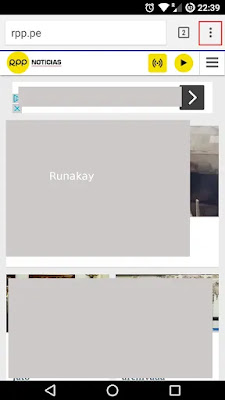
Sometimes you are using (because you like to or have to) a web page from your Android device and you think that I would be better if you could access directly, maybe using an application on your screen or having it as a bookmark on your browser. Unfortunately not all webpages offers their own application for quick access, and using a bookmark force you to start the browser, then go to the bookmarks section, then search between bookmarks what you want and then click on it. What you can do if there is no application to help you is to 'pin' that web in your home screen so you can access it directly. To do that, first start you default web browser (in this case Chromium ), go to your favorite web and click on options (button with 3 dots):   Next click on 'Add to Home screen' option:     Write the name for this direct access:     And it's done, now you can go to that page directly by clicking on its icon on the home screen: I have seen other b...